
Find better opportunities
Keep keyword data, personas, and competitor context in one project before you decide what to write.
Search visibility proof
Research, planning, and production matter because they lead to more ranking pages, more impressions, and more compounding organic visibility.
Total impressions
18.7K
Average position
7.1

A rising impression curve is the clearest proof that the workflow is producing content search engines keep surfacing.
Inside the workspace
CopyGenie is built around structured research views, not a blank editor. These are the screens where teams review keyword opportunities, define the audience, and keep competitor context visible before the writing starts.
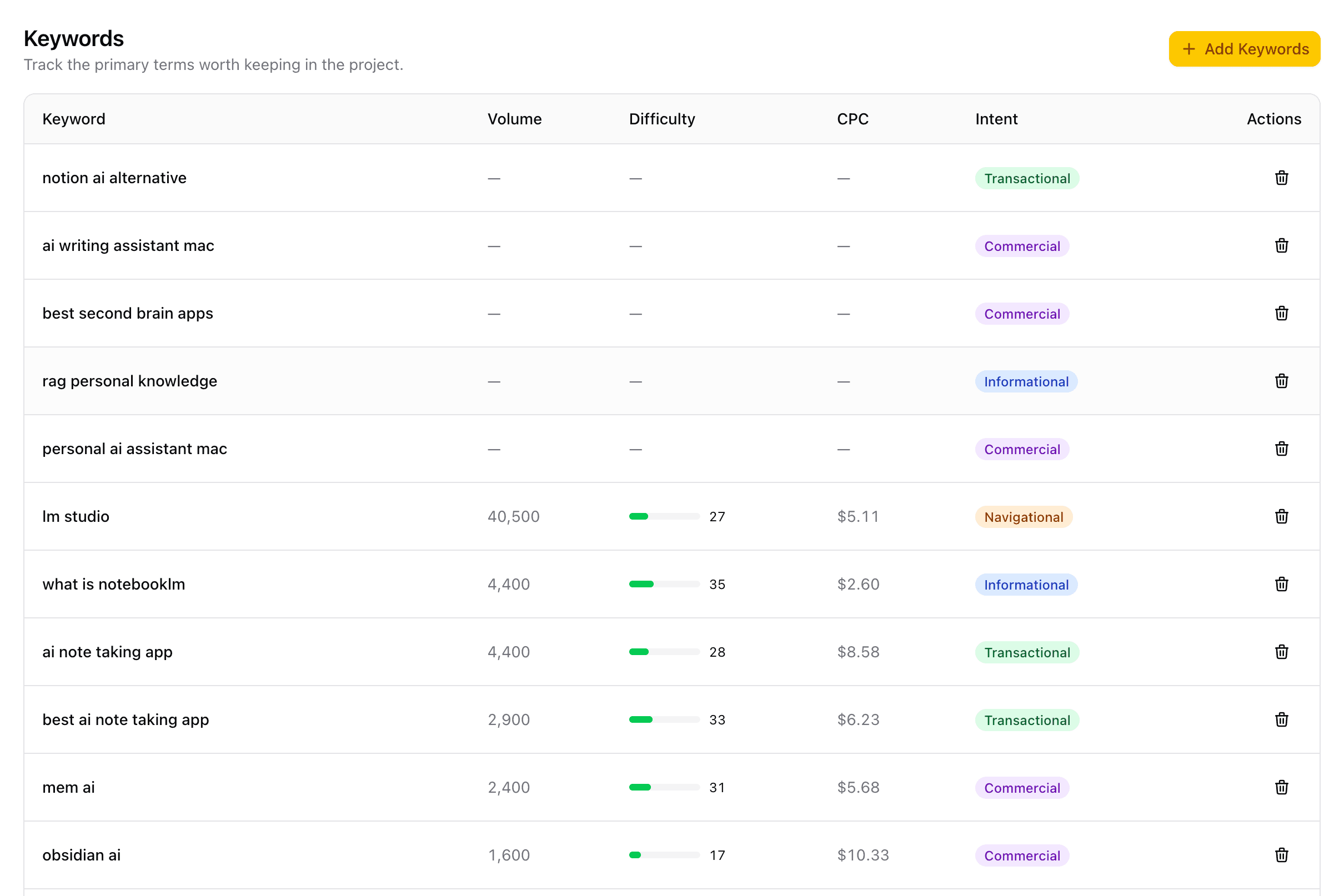
Keywords
Track terms with intent, volume, difficulty, and CPC so topic selection starts from search reality.
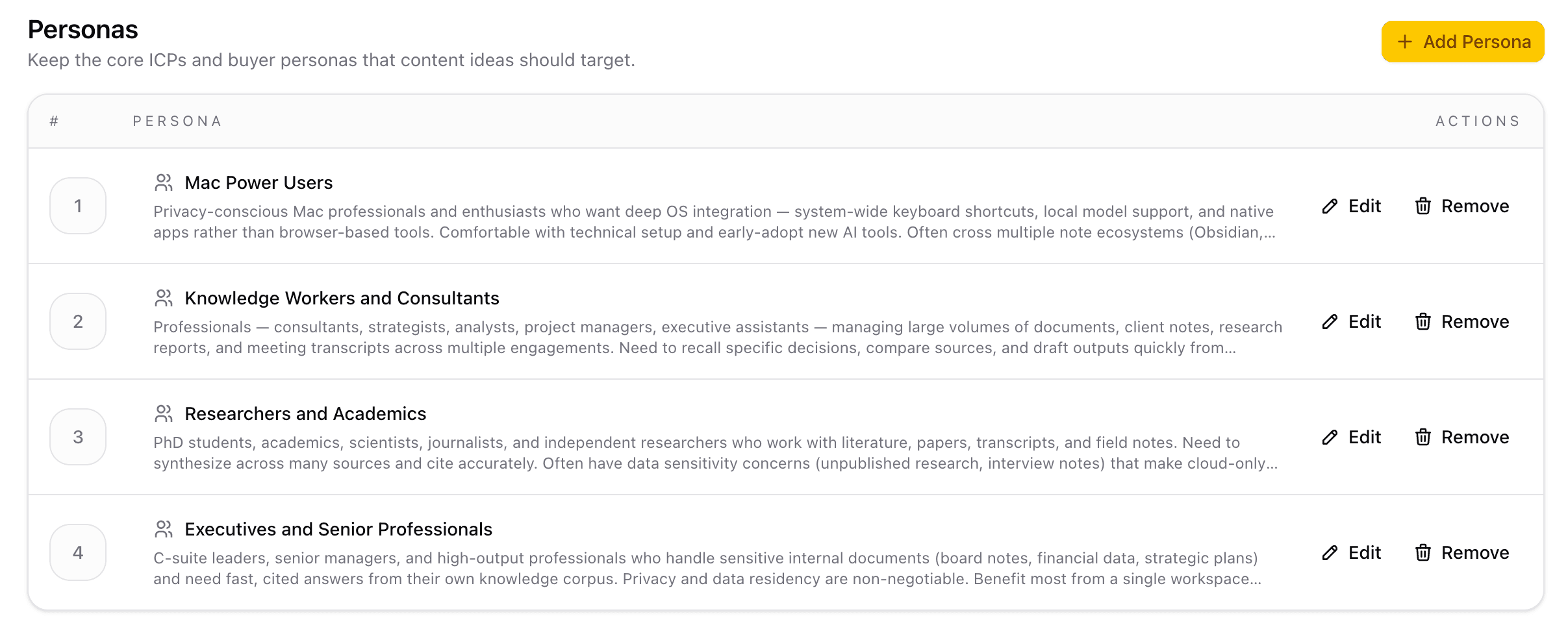
Personas
Store the audiences and ICPs each article should reach so messaging stays useful, specific, and commercially relevant.
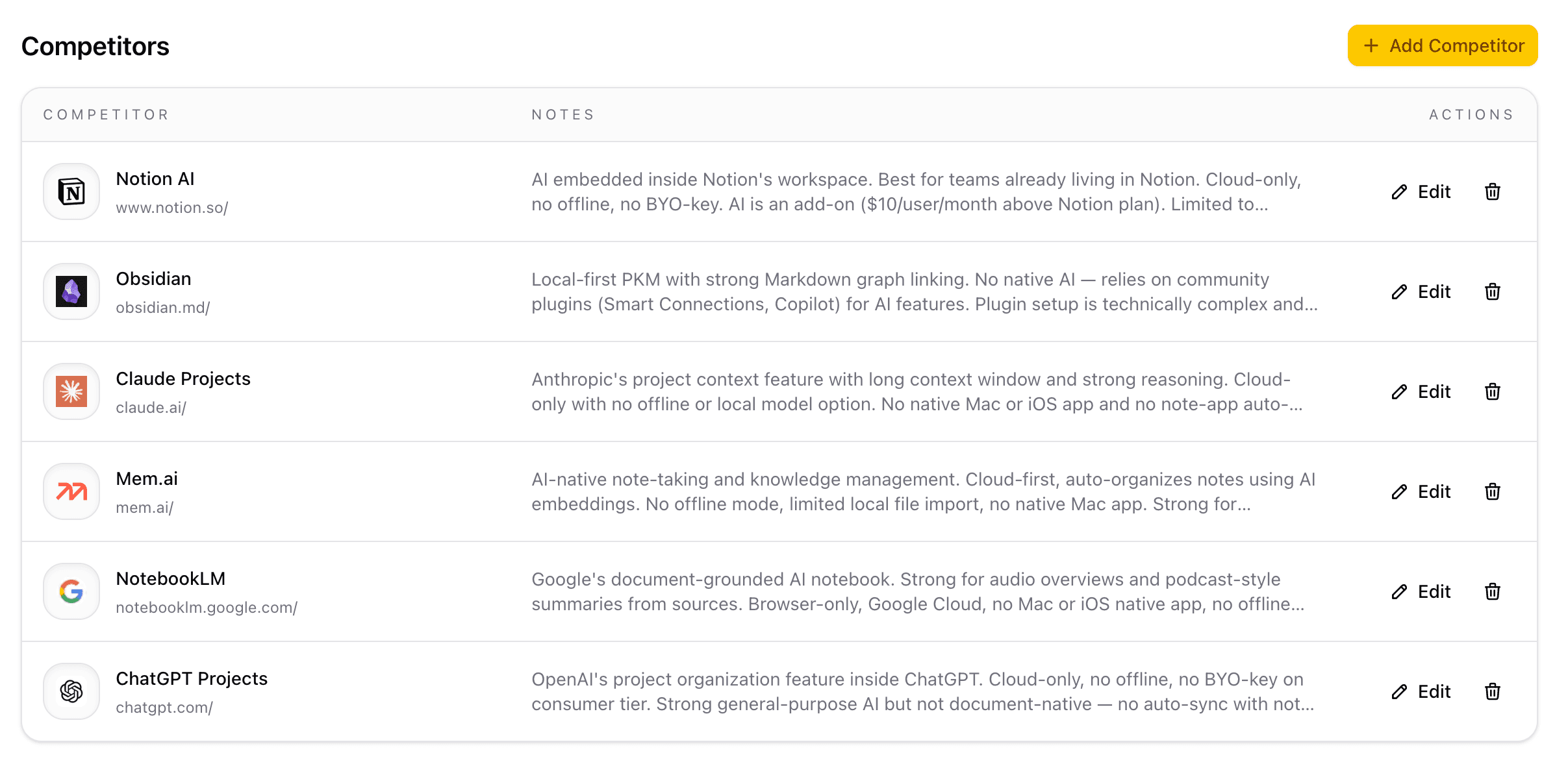
Competitors
Review competing products, save notes, and keep market context visible while shaping positioning and content angles.
One system
Most teams split this across research, briefing, drafting, visuals, and QA tools. CopyGenie keeps the chain intact.
Run each SEO program around a real domain with its own market context, language, tone, and publishing goals.
Keep ICPs and persona notes in the project so briefs and drafts stay specific to the people you want to reach.
Work from terms backed by volume, difficulty, CPC, and intent instead of picking topics on instinct.
Save competitor context and keep the market view close while you shape angles, briefs, and drafts.
Capture your site and competitor pages so writers can reference how products actually look, explain, and sell.
Turn research into topic ideas with a clear keyword target, audience fit, and reason to exist.
Generate structured long-form drafts with control over keyword target, tone, language, and length.
Create featured and inline visuals in the same workflow instead of handing design off at the very end.
Check SEO score, refine the draft, and keep final editorial approval with your team.
Research
Keep keyword data, persona context, competitor notes, and site references in one place so topic selection starts from evidence.
Creation
The same workspace that helps you pick the topic also carries the context into article generation and image creation.
Delivery
Writers and marketers move faster, but the final article still gets reviewed, scored, and refined by a human team.
Repeatable workflow
The goal is fewer handoffs, clearer inputs, and faster editorial cycles.
01
Start from your site and define the niche, language, and tone each article should reflect.
02
Bring in personas, keyword opportunities, competitor notes, and screenshots before choosing topics.
03
Generate ideas tied to search intent, audience value, and what the market is already saying.
04
Create the article and requested visuals with the structure, tone, and length you want.
05
Review the score, edit the copy, and send a much stronger draft into your publishing flow.
Why teams switch
When research, drafting, visuals, and review live together, teams spend less time rebuilding context and more time publishing.
Keywords in one tool, competitor notes in another, briefs in docs, drafting elsewhere, and images or QA bolted on at the end.
One project connects keyword research, persona context, competitor notes, drafting, visuals, scoring, and final edits in the same place.
Start with one domain
Bring the research, drafts, visuals, and review into one workflow and publish with less friction.